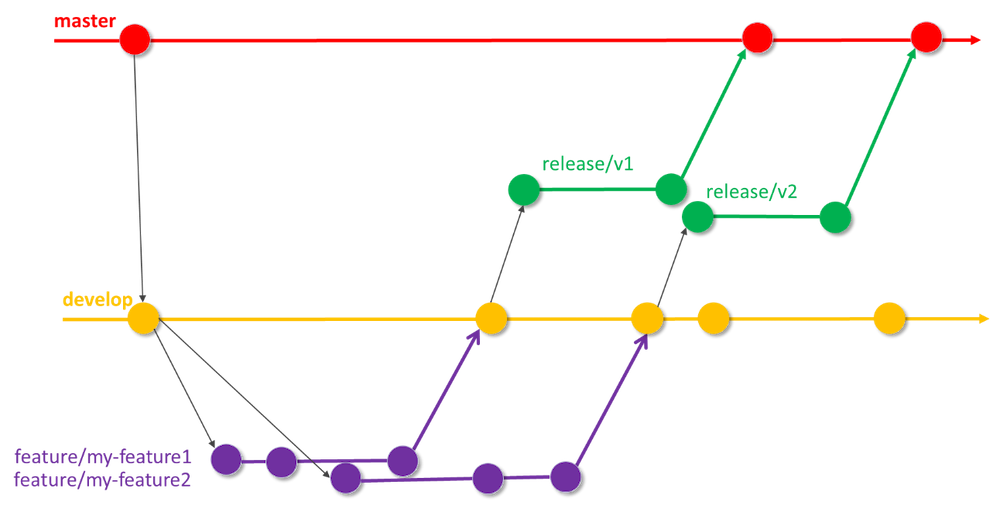
Code branch strategy is a crucial part of keeping a team organized and ensuring that development runs smoothly. That’s why we discussed this topic right at the beginning of our Weather Project journey. Modern software teams use different branching strategies to manage merging, handle conflicts, and allow for effective code reviews before anything gets added to the main codebase. In this blog, I’ll share what I learned about popular code branch policies and explain why our team chose the approach we did.
Best practices
A code branch strategy defines how teams organize, share, and integrate code in a shared repository. Good branching practices help teams collaborate without stepping on each other’s toes, reduce merge conflicts, and enable efficient testing and code review. Here’s a quick overview of some widely used branch strategies, especially with Git and GitHub:
Feature Branching
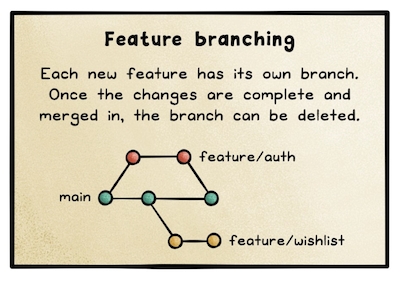
Feature branching is probably the most common strategy today. Each new feature or bug fix happens in its own branch, separated from the main production code (often called main or master). This way, developers can work independently and only merge back once their work is complete and reviewed. This approach makes code reviews easier and helps keep the main branch stable.
Gitflow
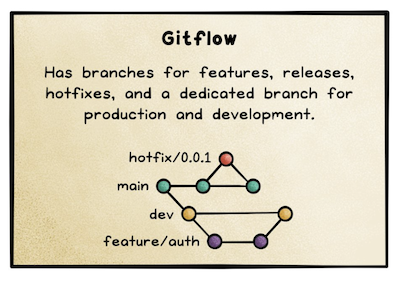
Gitflow is a more structured branching model. It uses two primary branches (main and develop) and supports additional branches for features, releases, and hotfixes. Features are developed in their own branches, merged into develop, and then released to main when ready. This approach works well for projects with planned releases, but can be a bit heavy for smaller teams.
GitLab Flow
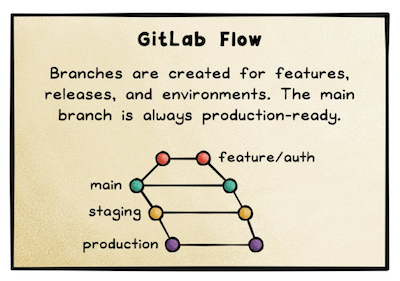
GitLab Flow is a hybrid approach that combines feature branching and environment-based flows. It supports both simple and complex workflows, letting teams choose between environment branches (like staging, production) or integrating directly from features to production, depending on the team’s needs.
GitHub Flow
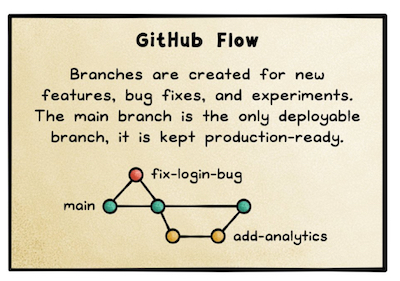
GitHub Flow is simpler and more lightweight compared to Gitflow. It’s based around the main branch and encourages short-lived feature branches. Developers create a branch, work on their feature, open a pull request, get feedback, and merge. It’s perfect for teams practicing continuous delivery or deploying updates frequently.
Trunk-Based Development
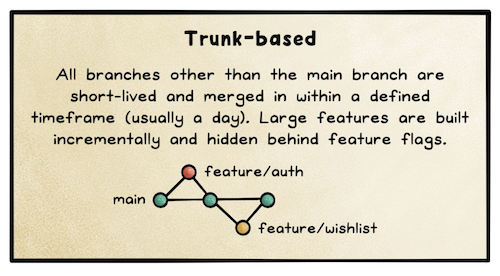
In trunk-based development, everyone works directly on a single branch (the “trunk” or main), with very short-lived branches if any. Changes are integrated frequently—sometimes several times a day. This approach can boost velocity but requires strong discipline with testing and automation to avoid breaking the build.
Comparison
Different code branching strategies are best suited for various team sizes, project types, and deployment needs.
- Feature branching works well for most teams, allowing individual features or bug fixes to be developed and reviewed independently—ideal for both small and large teams wanting safe, isolated workspaces.
- Gitflow adds structured branches for features, releases, and hotfixes, making it great for projects with scheduled releases and strict deployment cycles, often in enterprise environments.
- GitLab Flow is flexible, supporting both feature and environment-based branches, making it suitable for teams balancing frequent changes with deployment to multiple environments.
- GitHub Flow is lightweight and best for teams deploying continuously or with fast iteration cycles, such as startups or web apps with frequent updates.
- Trunk-Based Development encourages all changes to be merged into a single branch quickly, fitting fast-moving teams with strong automated testing—especially those practicing continuous integration and delivery, like in DevOps or microservices setups.
Implementation
After reviewing the different strategies, our team decided to use feature branching. Here’s why:
- Clarity: Each branch represents a single feature or bug fix, so it’s easy to track what everyone is working on.
- Safety: Work is isolated until it’s ready. This means our main branch stays stable and always deployable.
- Review Process: Pull requests allow for code reviews, ensuring quality and knowledge sharing before anything is merged.
- Collaboration: Multiple team members can work on different features in parallel without interfering with each other.
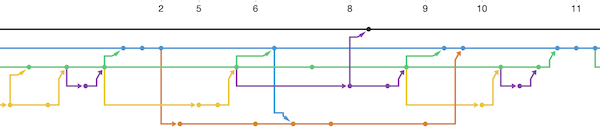
For every new feature or bug, we create a new branch off main, work on it, push our changes, and open a pull request on GitHub. We review each other’s code, resolve any feedback, and then merge when ready. This keeps our workflow organized, clean, and easy to follow.
Some findings and thoughts
- Adopting feature branching not only minimized merge conflicts but also promoted a culture of accountability and thorough code review, which directly improved overall code quality as the project progressed.
- Establishing a branch strategy from the outset provided a clear framework for collaboration, allowing team members to innovate and iterate confidently while maintaining a stable, reliable main codebase.